
Online Payment Process Cycle:
Initiation through Reconciliation
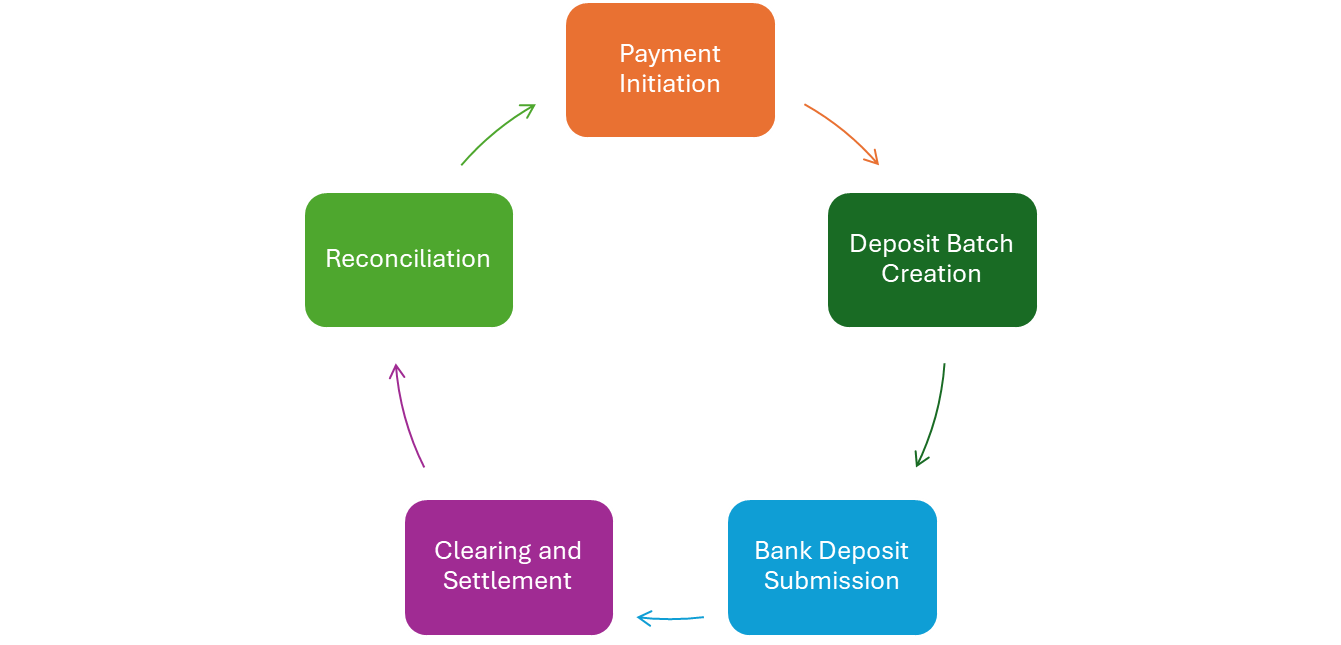
Payment Initiation
Residents, owners, or applicants use the PropertyBoss portals to submit payments online.
Deposit Batch Creation
Payments are grouped into deposit batches within PropertyBoss. All online payments are automatically assigned to an EFT Pending Deposit batch.
Bank Deposit Submission
The deposit batch is sent to the bank electronically. The bank processes the deposit, and funds are transferred to a clearing account.
Clearing and Settlement
The clearing account processes and clears payments, which typically occurs overnight. Once a payment clears, the funds become available in the property manager’s account.
In PropertyBoss, the payment drops off the Pending Deposit, and the transaction is assigned a PropertyBoss deposit number, a Vendor Deposit Date, and a Vendor Deposit Number.
Payments may remain on a Pending Deposit for the following reasons:
Payment validation is still in progress. The clearing house has not yet confirmed the payment’s validity, so it remains pending. This is truly a pending deposit and will only drop once the payment clears — similar to how pending charges or credits appear in a personal bank account until they are finalized.
Please allow two business days from the date of payment execution for pending payments to clear.
The transaction date and the execution date may be different.
Processing delays. Delays may occur at the payment processor, clearing house, or bank level. While this can happen throughout the year, it is most common around the second week of December and may extend through the third or fourth business day of the new year due to:
• Federal and state holidays
• High payment volumes
• Limited staffing
Please allow two business days for processing to catch up before contacting support.
A processing issue. In very rare cases, a system issue may prevent data from syncing correctly between the payment processor and PropertyBoss. This has occurred only twice in our eight-year partnership with Vantage. We actively monitor status reports and are promptly alerted if an issue arises.
Reconciliation
The following reports provide detailed transaction information for auditing online payment deposits.
• B310: Deposit Summary Report
• B312: ProPay Deposit Summary
• E101: EFT Reconciliation Report
A Note on Returned Payments
Payments may clear a pending deposit and still be returned later for various reasons. Clearing a pending deposit does not guarantee that the funds will be retained.