QUICK FIND
- What is a portal link?
- What is an ACCOUNT and dbKEY?
- Where do I find my ACCOUNT and dbKEY(s)?
- Where can I find my link(s)?
- What are the new links?
- How do I update the links on my website?
- How do I know if I am using new links?
What is a portal link?
A portal allows non-PropertyBoss users access to some features of PropertyBoss through an online web extension of YOUR PropertyBoss account. For example, your residents/tenants/members can log in to a portal and pay their rent, submit work orders, view their balance, update their contact information, etc... That information is then sent to your PropertyBoss account.
What is an ACCOUNT and dbKEY?
This is a unique string of letters and numbers assigned to your PropertyBoss program. It's possible to have more than one ACCOUNT and dbKEY. Clients with more than one program switch back and forth between two or more PropertyBoss databases.
This is a key piece of information in portal links. Without your unique ACCOUNT and dbKEY, a user cannot log in to your portal.
Examples:
- res.propertyboss.net - This is NOT a Resident Portal link. It does not contain an ACCOUNT and dbKEY.
- res_caxfst_171470.propertyboss.net - This IS a Resident Portal link. ONLY residents assigned to this PropertyBoss account can log in to this portal. If a user is not in their PropertyBoss account and tries to log in, they will be denied.
Where do I find my ACCOUNT and dbKEY(s)?
Login to PropertyBoss, go to Help, then About PropertyBoss. This article contains visuals.
Where can I find my link(s)?
Go to the website(s) where your portals are listed. Click the link(s) to launch the portal. If you land on a redirect page it clearly states that it is a redirect page AND gives you the correct link to the portal.
You can build your links using the short link format and inserting your unique ACCOUNT and dbKEY.
If you create a link using your ACCOUNT and dbKEY and an error or blank page loads, it means the particular portal is not active for you. Do not post that portal link unless you enable it through implementation@propertyboss.com
What are the new links?
ACCOUNT_dbKEY - the unique identifier that links the portal to your PropertyBoss domain Have multiple domains? You have multiple ACCOUNT_dbKEYS. Need help finding your ACCOUNT_dbKEY? See this article. | |
| Resident/Member Portal (includes HOA owners) | res_ACCOUNT_dbKEY.propertyboss.net |
| Owner Portal | own_ACCOUNT_dbKEY.propertyboss.net |
| MaintTech Portal (internal portal) | mainttech_ACCOUNT_dbKEY.propertyboss.net |
| Application Portal | app_ACCOUNT_dbKEY.propertyboss.net |
| Direct Payment Portal | pay_ACCOUNT_dbKEY.propertyboss.net |
| PB Online (internal portal; universal) | online.propertyboss.net |
How do I update the links on my website?
Contact your website manager/company, give them the new links, and ask them to replace what is currently on your website. It can help to provide screenshots or a list of locations where the portal links can be found on the website.
- PropertyBoss does not manage websites anymore. If your website was created by PropertyBoss, it has been transferred to BizCor. Contact information for BizCor is:
- Support Website: www.Bizcor.com/support
- Email: SupportTeam@bizcor.com
How do I know if I am using new links?
There are several ways to identify a "new" link versus an "old" link.
- Use the test explained in the question above: How do I know if I’ve updated my URLs? or How do I know if I am being redirected?
- New links are short. They begin with an abbreviation of the portal's name (res, own, app) contain an ACCOUNT_dbKEY, and end in propertyboss.net
- Short links can expand when the portal page loads. It is okay to see something like this in the URL bar: https://portal.propertyboss.net/PortalName/login/ACCOUNT_dbKEY (ex: portal.propertyboss.net/own/login/pbsdemos_123456)
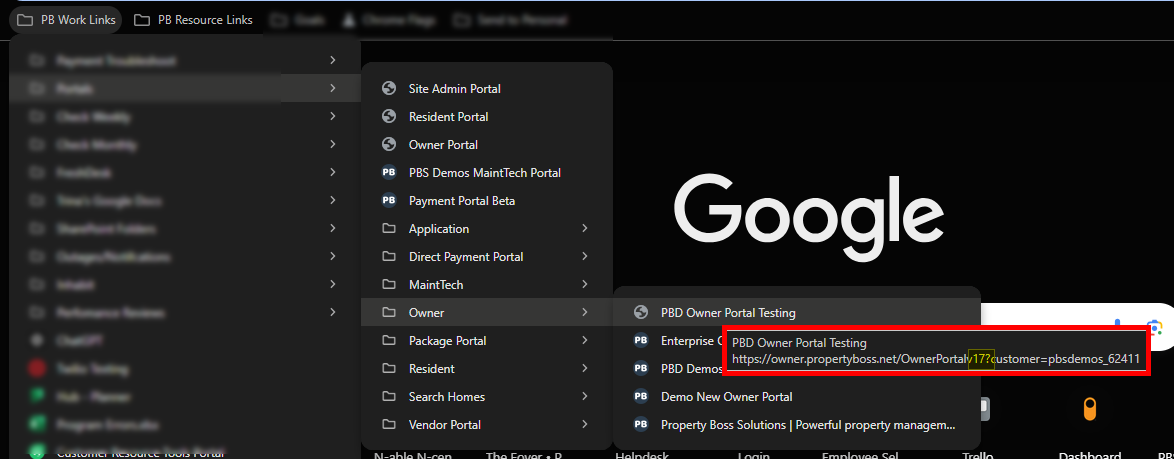
- Hover over the link on your website. Do you see "v17?" anywhere in the address This is an old link. If you click on it, it will show you the redirect page.